🎵 Player Support
Open Source

Audacity

The Open Source Foundation for Audio Production

Free, professional, cross-platform. Audacity is the world's most popular open-source software for audio recording and editing – perfect for beginners and professionals alike.

Download Now

Download Audacity Free
🔖 Version 3.4.2 💾 ~15 MB ✅ 100% Free & Open Source 🔒 Spyware-free

Powerful Features

🎙️

Multi-Track Recording

Record multiple tracks simultaneously. Perfect for podcasts, music recordings, and voice-overs with professional quality.

🎛️

Effects & Plugins

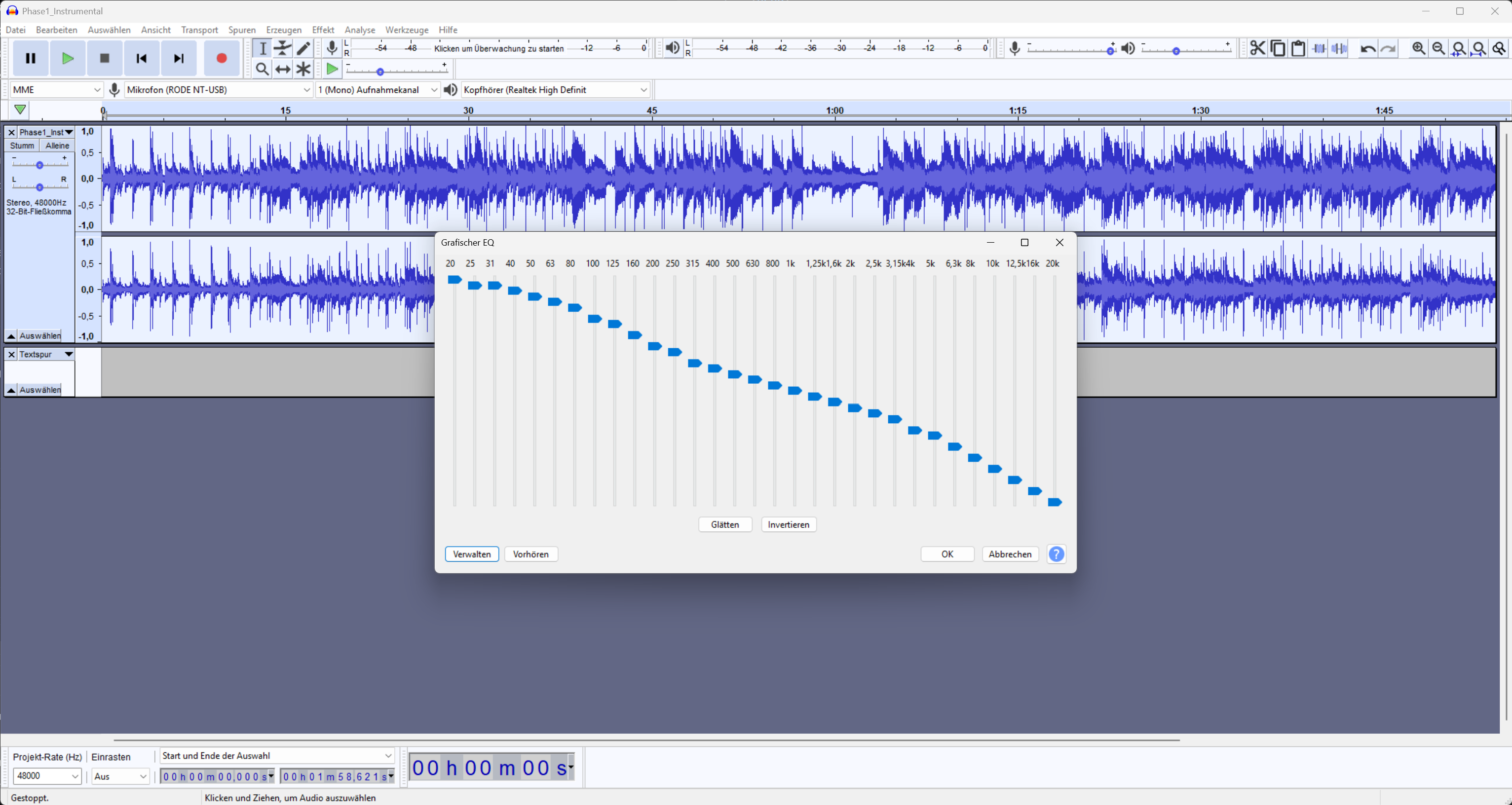
Built-in effects like EQ, Compressor, Reverb and Echo. Supports VST, LV2 and AU plugins for endless possibilities.

🔧

Noise Reduction

Remove background noise with one click. Ideal for recordings in less-than-optimal environments.

📊

Spectrogram View

Visualize your audio in the frequency domain. Precise editing of frequencies and removal of unwanted noises.

📈

Audio Analysis Tools

Frequency analysis, level meters, spectral analysis – everything you need to understand and optimize your audio.

🎵

Format Support

Export to WAV, MP3, FLAC, OGG, AIFF and more. Includes FFmpeg support for all common formats.

The Audacity Interface

This schematic overview shows you the most important areas – perfect for getting started without feeling overwhelmed

Audacity Project Window File Edit View Transport Effect Help 1. Menu Bar 2. Transport Buttons R = Record | Space = Play/Stop 3. Tools I Select | Move | Draw 4. Level Meters Mic Level (green = good, red = too loud) 5. Timeline 0s 5s 10s 15s 20s 6. Audio Track Track 1 R Record M Mute Volume Audio Waveform (your recording) Track 2 R M Project Rate: 44100 Hz | Format: 32-bit float 7. Status Bar
1
Menu Bar

All commands under File, Edit, Effects, etc.

2
Transport Buttons

🔴 Record (R) | 🟢 Play (Space) | 🟡 Stop

3
Tools

Select, Move, Draw for editing

4
Level Meters

Shows mic volume (don't stay in the red!)

5
Timeline

Shows time in seconds – like a ruler for audio

6
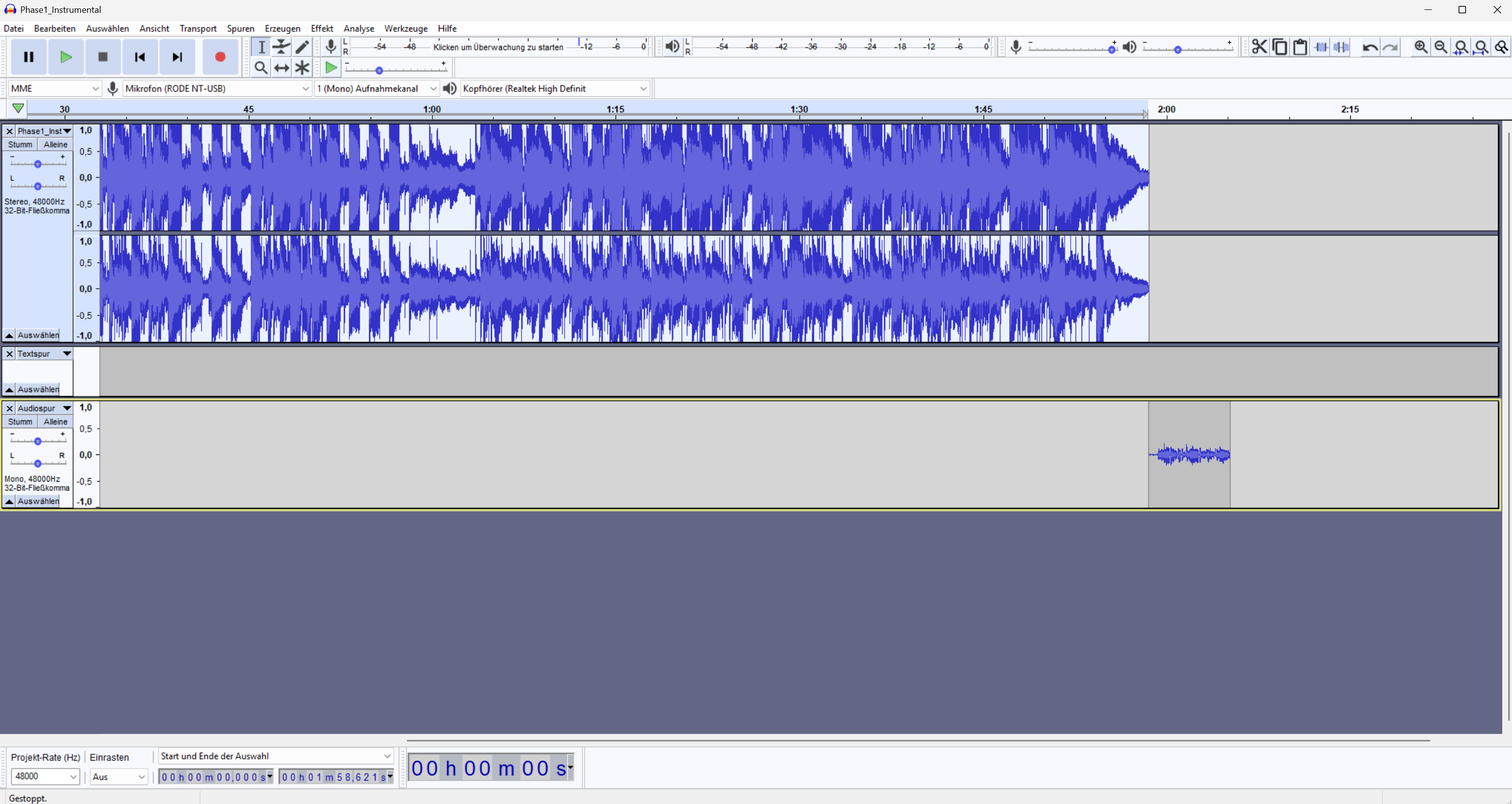
Audio Track

Where your audio is displayed. Multiple tracks = Multiple layers

7
Status Bar

Shows technical info like sample rate and project settings

💡
Tip for Beginners: Start with just one track! Only when you feel comfortable, work with multiple tracks (e.g., voice + music).

Real Screenshots

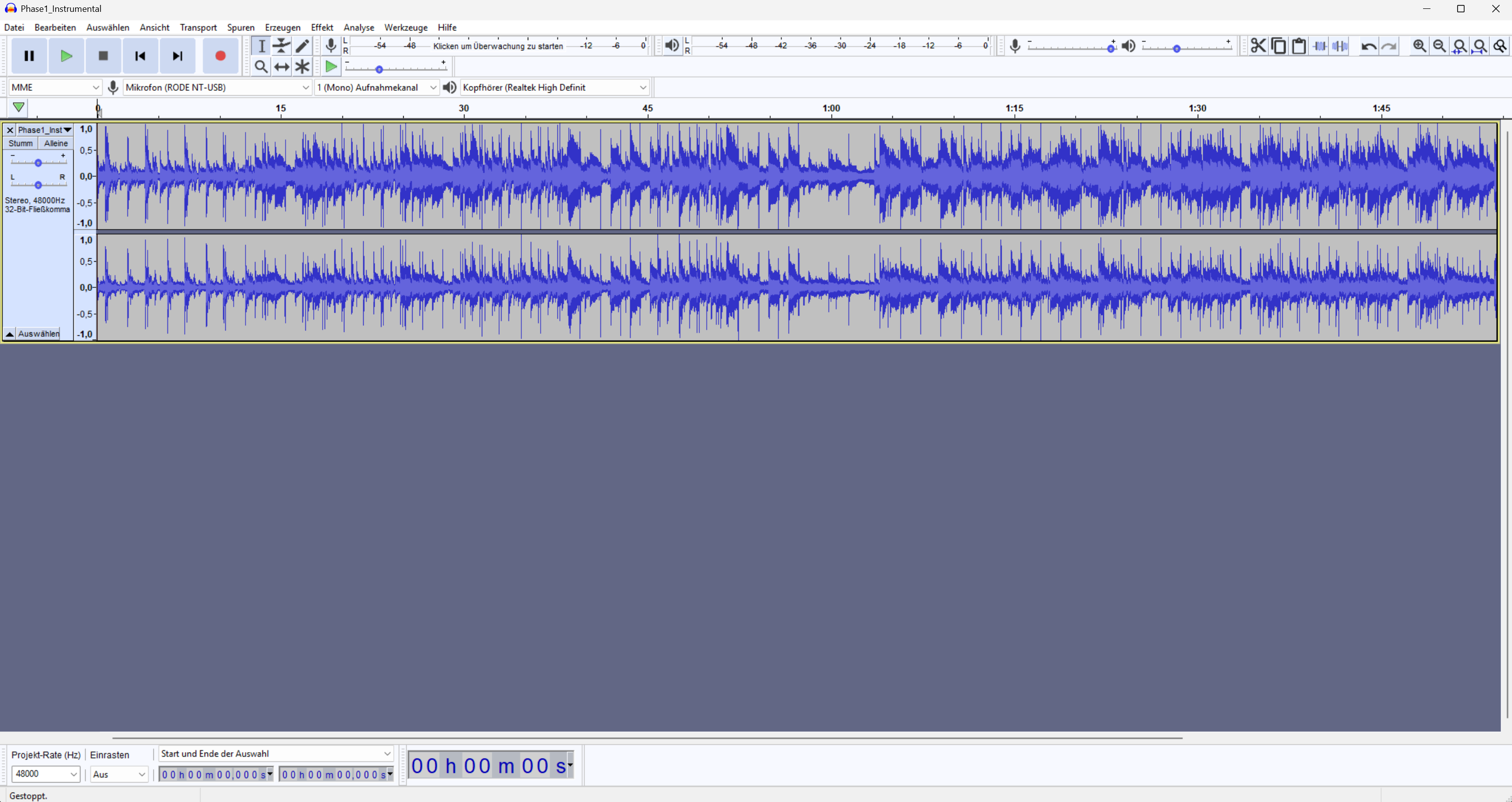
Once you understand the schema, these real screenshots will help you orient yourself in the actual application

Quick Start Guide

Your first recording with Audacity in 4 simple steps

1

Installation & Setup

Download and install Audacity. Select your microphone in "Edit" → "Preferences" → "Audio". Make sure the correct recording source is selected.

▶ Video: Installation
2

First Recording

Click the red record button or press "R". Audacity will record your voice. Click the yellow stop button or press Space to stop.

▶ Video: First Recording
3

Basic Editing

Select areas with your mouse and delete with Del. Move clips with the Time Shift Tool. Use "Effects" → "Noise Reduction" for clean audio.

Screenshot: Editing
4

Export

Go to "File" → "Export" and choose your format (MP3 for podcasts, WAV for highest quality). Add metadata and save your project as .aup3 file.

Screenshot: Export

Tutorials & Resources

Pro Tips

⌨️ Keyboard Shortcuts

  • Start recording R
  • Stop / Pause Space
  • Undo Ctrl + Z
  • Zoom to selection Ctrl + E
  • Select all Ctrl + A

🔌 Recommended Plugins

  • FFmpeg Import/Export
  • LAME MP3 Encoder
  • Nyquist Plugins
  • ACX Check (Podcast)
  • Noise Gate

⚡ Workflow Optimization

  • Save projects regularly
  • Learn keyboard shortcuts
  • Use effect chains
  • Label tracks for chapters
  • Envelope Tool for fades

🛠️ Troubleshooting

  • Check audio device
  • Adjust buffer size
  • Latency compensation
  • Set project rate
  • Disable plug-ins

Frequently Asked Questions

Yes, Audacity is 100% free and open source. There are no hidden costs, no subscriptions, and no feature limitations. The software is maintained by a community of developers and is available under the GNU GPL license. You can use Audacity for commercial and private purposes without restrictions.

Audacity is extremely versatile: podcast production, voice-over for videos, music recording, audio editing for films, speech recording for e-learning, field recording, sampling, and much more. For professional music production with MIDI and virtual instruments, a commercial DAW is better suited.

Audacity is an audio editor, not a full DAW (Digital Audio Workstation). For recording, editing, restoration and mastering of individual tracks, it is first-class and can compete with expensive alternatives. For complex music production with MIDI, virtual instruments and extensive mixing, tools like Reaper, Ableton Live or Logic Pro are recommended.

Audacity is open source, meaning the source code is publicly viewable. Versions downloaded directly from audacityteam.org are completely spyware-free. The community strictly ensures that no unwanted telemetry or data collection is built in.

Audacity runs on most computers: Windows 10/11, macOS 10.13+, or Linux. At least 2 GB RAM is recommended, 4 GB or more for larger projects. The software is extremely resource-efficient and runs smoothly even on older hardware configurations.